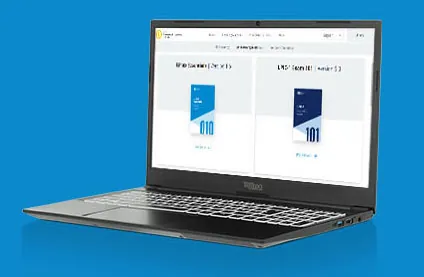
Show Off Your Linux Skills
Take the new Linux Essentials 2.0 exam for the accredited LPI certificate.
LPI Linux Essentials v. 2.0
The Linux Professional Institute (LPI) Linux Essentials exam covers knowledge required to competently use a desktop or mobile device using a Linux operating system.
Linux Essentials will guide and encourage youth and those new to Linux and open source to understand the place of Linux and open source in the context of the broader IT industry.
Certification Overview: Linux Professional Institute Linux Essentials
Linux Essentials helps learners build confidence with Linux and demonstrate foundational skills, making it an ideal starting point for anyone entering the Linux and open source ecosystem.
Areas of knowledge covered
The Linux Operating System and Open Source Software
The Linux Operating System and Open Source Software
introduces the Linux ecosystem, including the history and evolution of Linux, common distributions, and typical use cases such as cloud and embedded systems. It also covers major open source applications, the principles of open source, and common licenses and communities behind open source development.
Key commands and concepts
Open source and Free Software principles, open source licenses (e.g., GPL), Linux distributions, open source applications, community-driven development
Command Line Basics
Command Line Basics
introduces the Linux shell and how to interact with the system through the command line. It covers navigating the filesystem, creating and managing files and directories, viewing file contents, and using simple commands and pipelines. It also includes basic help systems and working with command history.
Key commands and concepts
pwd, cd, ls, cp, mv, rm, mkdir, cat, less, head, tail, man, –help, command history
Data Processing
Data Processing
covers how Linux command-line tools can be combined to process text and data streams. It includes using filters to extract, modify, and format data, as well as combining commands with pipes and redirection. Candidates learn how to manipulate text efficiently and generate useful output from files and command results.
Key commands and concepts
cut, sort, uniq, wc, grep, tr, pipes (|), redirection (> , >> , <)
Security and File Permissions
Security and File Permissions
introduces the basics of Linux system security. It covers how ownership and permissions control access to files and directories, including read, write, and execute permissions for users, groups, and others. Candidates also learn how to modify permissions and understand the role of user accounts and groups.
Key commands and concepts
file permissions (read, write, execute), ownership (user and group), chmod, chown, chgrp, id
The Linux Operating System
The Linux Operating System
explains how a Linux system is organized and managed. It covers system components such as the kernel, processes, and system services, as well as how software is installed and updated through package management. Candidates also learn basic concepts of users, groups, and system maintenance.
Key commands and concepts
processes and system tasks, ps, top, kill, system information (uname), package management concepts, apt, dnf, yum, rpm, zypper
The Perfect Start in Open Source-Based IT
- Linux Essentials provides an understanding of Linux and the most popular open source applications.
- It is perfect for teaching basic IT skills at schools, vocational schools, and universities.
- It combines fundamental system administration and maintenance with in-depth insights into the open source ecosystem.
- Clearly defined learning objectives, comprehensive Learning Materials in various languages, and a global infrastructure for taking the exam make Linux Essentials a quasi-standard in IT training.

Who Is It Made For?
- Students at schools, colleges, and universities
- Teachers at schools, lecturers at universities, and trainers at IT companies
- Schools, universities, organizations, and companies that want to strengthen general ICT skills of their students or employees
- Individuals who want to further educate themselves
What’s New in Version 2.0?
Added SSH and using Linux in the cloud
Updated Linux distributions and open source applications
Added systemd service units
Replaced syslog with systemd journal
Added “if” conditions to shell scripting
Replaced net-utils with iproute2
See detailed informationView the Detailed Exam Objectives
Explore the Linux Essentials objectives and discover the knowledge and skills covered in the exam.